

Mobile-First Design: Why It Matters in 2025
25 January, 2025Over 60% of web traffic comes from mobile devices. In 2025, mobile-first design isn't optional—it's essential. If your website isn't optimized for mobile, you're losing customers, rankings, and revenue. The shift to mobile-first design represents one of the most significant changes in web development and digital marketing strategies in recent years.
Understanding Mobile-First Design: A Paradigm Shift
Mobile-first design is more than just a responsive layout—it's a fundamental shift in how we approach web development and user experience. Unlike traditional desktop-first approaches where websites were designed for large screens and then adapted for mobile, mobile-first design starts with the smallest screen and progressively enhances for larger devices.
Google's mobile-first indexing, which became the default in 2021, means your mobile site is now the primary version Google uses for ranking. This isn't just a technical change—it's a complete reimagining of how search engines evaluate and rank websites. A slow, clunky mobile experience doesn't just frustrate users—it directly impacts your search visibility, conversion rates, and ultimately, your bottom line.
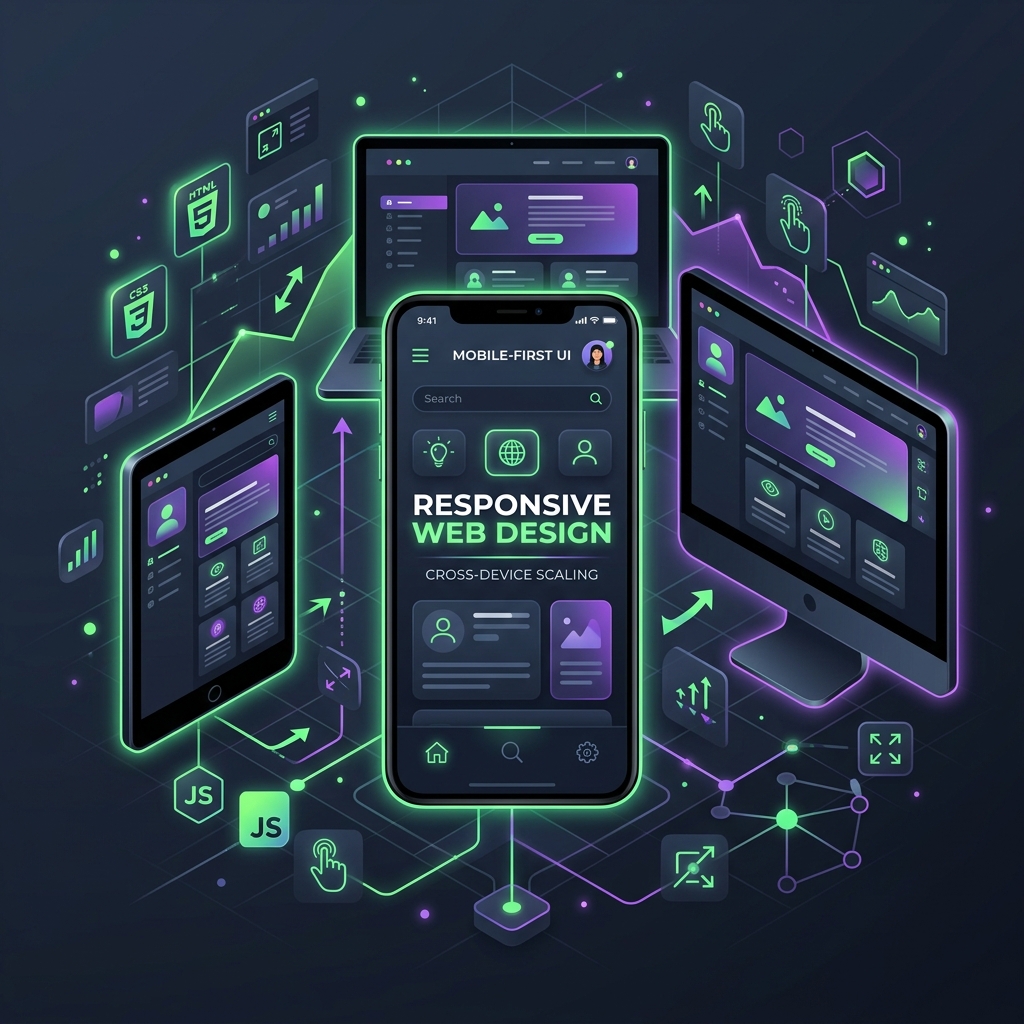
The mobile-first approach requires designers and developers to think differently about content hierarchy, navigation patterns, and user interactions. When you design for mobile first, you're forced to prioritize what truly matters. This constraint breeds creativity and results in cleaner, more focused user experiences that work beautifully across all devices.
The Evolution of Mobile Web Usage
To understand why mobile-first design matters, we need to look at the dramatic shift in how people access the internet. In 2010, mobile traffic accounted for less than 5% of total web traffic. By 2020, that number had jumped to over 50%. Today, in 2025, mobile devices generate more than 60% of all web traffic globally, with some regions seeing mobile usage as high as 80%.
This shift isn't just about quantity—it's about behavior. Mobile users have different needs, expectations, and limitations compared to desktop users. They're often on-the-go, have limited attention spans, and expect instant access to information. Mobile-first design acknowledges these realities and creates experiences tailored to mobile users' actual behaviors and needs.
Core Principles of Mobile-First Design
1. Content Prioritization
Mobile-first design forces you to prioritize content ruthlessly. With limited screen real estate, every element must earn its place. This principle leads to cleaner designs and more focused messaging. When you can't fit everything, you're forced to identify what truly matters to your users.
The mobile-first approach encourages a "less is more" philosophy. By starting with the essentials, you create a foundation that can be enhanced for larger screens rather than stripped down from a complex desktop design. This results in faster load times, clearer messaging, and better user experiences across all devices.
2. Touch-Friendly Interface Design
Mobile devices rely on touch interactions, which require fundamentally different design considerations than mouse-based desktop interfaces. Touch targets need to be larger (minimum 44x44 pixels), spacing between interactive elements must be generous, and gestures like swiping and pinching should feel natural and intuitive.
A mobile-first approach ensures that all interactive elements are designed with touch in mind from the start. Buttons are sized appropriately, navigation is thumb-friendly, and forms are optimized for mobile input. These considerations, when built into the foundation, create better experiences even when accessed on desktop devices.
3. Performance Optimization
Mobile users often have slower connections and less powerful devices than desktop users. Mobile-first design inherently prioritizes performance because you're starting with constraints that demand efficiency. This means optimized images, minimal JavaScript, and efficient CSS that loads quickly even on 3G connections.
The statistics are clear: 53% of mobile users abandon sites that take more than 3 seconds to load. Mobile-first design ensures your site loads fast, looks great, and converts better on every device. By optimizing for mobile constraints, you create a foundation that performs excellently across all platforms.
4. Progressive Enhancement
Mobile-first design follows the principle of progressive enhancement: start with a solid, functional base that works on all devices, then add enhancements for devices that can support them. This approach ensures your site is accessible to everyone, regardless of their device or connection speed.
Progressive enhancement means your mobile site isn't a stripped-down version of your desktop site—it's a complete, fully functional experience that can be enhanced for larger screens. This approach results in better performance, improved accessibility, and more robust websites overall.
The Business Impact of Mobile-First Design
At CODX, we've seen businesses transform their online presence by prioritizing mobile. Companies that invest in mobile-first design see measurable improvements across multiple key performance indicators. Let's explore the specific benefits:
Improved SEO Rankings
Google's mobile-first indexing means that your mobile site's performance directly impacts your search rankings. Websites with excellent mobile experiences rank higher in search results, leading to increased organic traffic and visibility. Mobile-first design ensures you're optimized for how Google actually crawls and indexes your site.
Beyond indexing, mobile-first design improves Core Web Vitals—key metrics Google uses for ranking. These include Largest Contentful Paint (LCP), First Input Delay (FID), and Cumulative Layout Shift (CLS). Mobile-first sites naturally perform better on these metrics because they're built with performance in mind from the ground up.
Higher Conversion Rates
A smooth mobile experience leads to more sales and sign-ups. When users can easily navigate, find information, and complete actions on mobile devices, they're more likely to convert. Mobile-first design removes friction from the user journey, making it easier for customers to take desired actions.
Research shows that mobile-optimized sites see conversion rates that are 2-3 times higher than non-optimized sites. This isn't just about making things look good—it's about creating experiences that guide users naturally toward conversion points, whether that's making a purchase, filling out a form, or contacting your business.
Reduced Bounce Rates
Mobile-first sites are optimized for speed and usability, which directly reduces bounce rates. When users land on a site that loads quickly and provides immediate value, they're more likely to stay and explore. High bounce rates signal to search engines that your site isn't meeting user needs, which can negatively impact rankings.
Enhanced User Experience
Users expect seamless mobile experiences—deliver it or lose them. Mobile-first design ensures that your site feels native to mobile devices, with interactions that feel natural and intuitive. This creates positive user experiences that build trust and encourage engagement.
A well-designed mobile experience reflects positively on your brand. Users associate fast, intuitive mobile sites with professional, trustworthy businesses. Conversely, poor mobile experiences can damage brand perception and drive customers to competitors.
Competitive Advantage
Many businesses still neglect mobile—stand out by getting it right. In 2025, having a mobile-first website isn't just best practice; it's a competitive necessity. Businesses that prioritize mobile experiences gain significant advantages in search rankings, user engagement, and conversion rates.
"Your mobile site is your first impression. Make it count."
- CODX Design Team
Technical Implementation of Mobile-First Design
Responsive Breakpoints and Media Queries
Mobile-first design uses CSS media queries to progressively enhance layouts for larger screens. Instead of starting with desktop styles and using max-width media queries to scale down, mobile-first uses min-width media queries to scale up. This approach ensures that mobile styles are the default, with enhancements added for larger screens.
Common breakpoints in mobile-first design include:
- Mobile: 320px - 480px (default styles)
- Tablet: 481px - 768px (enhanced layouts)
- Desktop: 769px - 1024px (full features)
- Large Desktop: 1025px+ (optimized layouts)
Flexible Grid Systems
Mobile-first design relies on flexible grid systems that adapt to different screen sizes. CSS Grid and Flexbox have revolutionized how we create responsive layouts, making it easier than ever to create designs that work beautifully across all devices.
These modern layout techniques allow content to flow naturally across screen sizes, with elements rearranging themselves intelligently based on available space. This creates more maintainable code and better user experiences than traditional fixed-width layouts.
Optimized Images and Media
Mobile-first design requires careful consideration of images and media. Large, unoptimized images can dramatically slow down mobile sites. Mobile-first approaches use responsive images with srcset and sizes attributes, ensuring that mobile users download appropriately sized images for their devices.
Modern image formats like WebP and AVIF provide better compression and quality than traditional JPEG and PNG formats. Mobile-first design takes advantage of these formats to deliver fast-loading, high-quality images that enhance rather than hinder the user experience.
Touch-Optimized Navigation
Mobile-first navigation patterns differ significantly from desktop navigation. Hamburger menus, bottom navigation bars, and swipe gestures are all optimized for touch interactions. These patterns, when implemented well, create intuitive navigation experiences that feel natural on mobile devices.
Mobile-first navigation also considers thumb zones—the areas of the screen that are easiest to reach with one-handed use. Placing important navigation elements and calls-to-action in these zones improves usability and conversion rates.
Mobile-First Design Best Practices
1. Start with Content Strategy
Before designing, identify your core content and messaging. What information do mobile users need most? What actions do you want them to take? Starting with content strategy ensures that your mobile-first design serves real user needs rather than just looking good.
2. Design for Thumb Navigation
Consider how users hold and interact with mobile devices. Place important elements within easy thumb reach, typically in the bottom third of the screen. This makes interactions more comfortable and reduces the need for two-handed use.
3. Optimize Forms for Mobile
Mobile forms should be short, simple, and optimized for mobile input. Use appropriate input types (email, tel, number) to trigger the correct mobile keyboard. Minimize required fields and use inline validation to help users complete forms quickly and accurately.
4. Implement Fast Loading Strategies
Use techniques like lazy loading, code splitting, and critical CSS to ensure fast initial load times. Prioritize above-the-fold content and defer non-essential resources. Every millisecond counts when it comes to mobile performance.
5. Test on Real Devices
Don't rely solely on browser developer tools. Test your mobile-first designs on actual devices with real network conditions. This reveals issues that simulators might miss and ensures your site works well in real-world scenarios.
Common Mobile-First Design Mistakes to Avoid
1. Hiding Important Content
Don't hide critical information behind hamburger menus or "read more" links. Mobile users should have immediate access to essential information. If content is important, it should be visible and accessible on mobile devices.
2. Ignoring Performance
Mobile-first design isn't just about layout—it's about performance. Don't load unnecessary resources, use unoptimized images, or include heavy JavaScript libraries that slow down mobile experiences. Performance is a core component of mobile-first design.
3. Neglecting Touch Targets
Make sure all interactive elements are large enough and spaced appropriately for touch. Small buttons and links that work fine with a mouse can be frustrating or impossible to use on mobile devices. Touch targets should be at least 44x44 pixels.
4. Forgetting About Landscape Orientation
Don't assume users will only use your site in portrait mode. Design for both orientations and ensure your layout works well in landscape mode. This is especially important for tablets and larger mobile devices.
The Future of Mobile-First Design
As we move further into 2025 and beyond, mobile-first design continues to evolve. Emerging technologies like 5G networks, foldable devices, and augmented reality are creating new opportunities and challenges for mobile-first design.
Progressive Web Apps (PWAs) are becoming increasingly important, blurring the lines between websites and native apps. Mobile-first design principles are essential for creating effective PWAs that provide app-like experiences through web technologies.
Voice interfaces and AI-powered interactions are also changing how users interact with mobile devices. Mobile-first design must accommodate these new interaction patterns while maintaining excellent user experiences.

Conclusion: Making Mobile-First a Priority
Mobile-first design isn't a trend—it's the foundation of modern web development. In 2025, businesses that prioritize mobile experiences gain significant advantages in search rankings, user engagement, and conversion rates. The statistics are clear, the technology is mature, and the benefits are undeniable.
Ready to go mobile-first? CODX specializes in creating responsive, fast, and conversion-optimized mobile experiences that drive results. Our team combines technical expertise with user-centered design to create mobile-first websites that perform beautifully across all devices.
Whether you're building a new site or optimizing an existing one, mobile-first design should be at the core of your strategy. It's not just about keeping up with trends—it's about meeting your users where they are and providing experiences that exceed their expectations.
"In 2025, mobile isn't a feature—it's the foundation of every successful digital strategy. Make it yours."