

Cloud Computing Benefits for Small Businesses
30 January, 2025Cloud computing is no longer just for big enterprises. Small businesses can now access enterprise-level technology at affordable prices. From cost savings to scalability, the cloud offers advantages that can transform your operations. The cloud computing revolution has democratized access to powerful technology, enabling small businesses to compete with larger enterprises on a level playing field.
Understanding Cloud Computing: A Game-Changer for Small Business
Cloud computing refers to the delivery of computing services— including servers, storage, databases, networking, software, analytics, and intelligence—over the Internet ("the cloud") to offer faster innovation, flexible resources, and economies of scale. Instead of owning and maintaining physical servers and data centers, businesses can access technology services on an as-needed basis from a cloud provider.
Gone are the days when small businesses needed expensive servers and dedicated IT teams. Cloud computing lets you access powerful software, storage, and infrastructure on a pay-as-you-go basis. This fundamental shift means lower upfront costs, automatic updates, and the ability to scale as you grow—without the traditional barriers that once separated small businesses from enterprise technology.
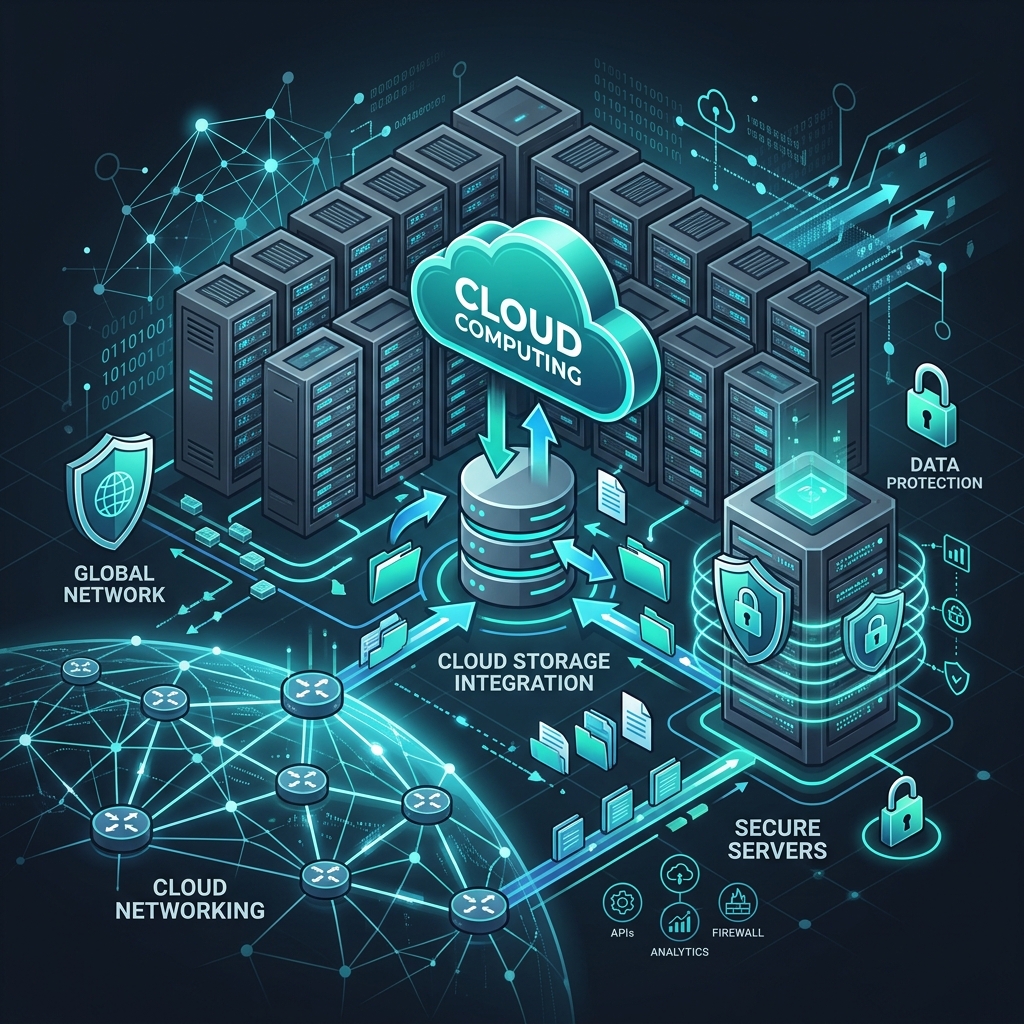
At CODX, we've helped numerous small businesses migrate to the cloud, reducing their IT costs by up to 40% while improving efficiency and collaboration. The cloud isn't just a technology trend—it's a business game-changer that enables small businesses to operate with the same technological capabilities as large corporations, but at a fraction of the cost.
The Cost Advantage: Why Cloud Computing Saves Money
Eliminating Upfront Capital Expenditures
Traditional IT infrastructure requires significant upfront investment in hardware, software licenses, and infrastructure setup. For small businesses with limited capital, these costs can be prohibitive. Cloud computing eliminates these upfront costs by converting capital expenditures (CapEx) into operational expenditures (OpEx).
Instead of purchasing servers, networking equipment, and software licenses, you pay a monthly or annual subscription fee. This predictable cost structure makes budgeting easier and frees up capital for other business investments. Small businesses can access enterprise-grade technology without the enterprise price tag.
Reduced IT Staff Requirements
Maintaining on-premises infrastructure requires IT expertise for installation, configuration, maintenance, and troubleshooting. Small businesses often can't afford dedicated IT staff, leading to either under-maintained systems or expensive external IT support.
Cloud computing shifts much of this responsibility to the cloud provider. They handle hardware maintenance, software updates, security patches, and system monitoring. This reduces the need for in-house IT expertise, allowing small businesses to focus on their core operations while still benefiting from professional IT management.
Pay-As-You-Go Pricing Models
Cloud services typically use pay-as-you-go or subscription-based pricing models. You only pay for the resources you actually use, making it easy to scale costs with your business needs. This flexibility is particularly valuable for small businesses with fluctuating demands or seasonal variations.
Scalability: Growing Without Limits
One of the most significant advantages of cloud computing is scalability. Traditional infrastructure requires predicting future needs and purchasing capacity accordingly, often leading to over-provisioning (wasting money on unused capacity) or under-provisioning (limiting growth potential).
Elastic Scaling
Cloud computing offers elastic scaling, meaning you can increase or decrease resources almost instantly based on current needs. During busy periods, you can scale up to handle increased demand. During slow periods, you can scale down to reduce costs. This flexibility is impossible with traditional infrastructure.
For example, an e-commerce business can scale up server capacity during holiday shopping seasons and scale back during slower periods. A service business can add user licenses during growth phases and reduce them if needed. This on-demand scalability ensures you're always paying for what you need, when you need it.
Supporting Business Growth
Cloud computing grows with your business. As you add employees, customers, or locations, you can easily expand your cloud resources. There's no need to purchase new hardware, reconfigure systems, or worry about capacity limits. This makes cloud computing ideal for growing businesses that need flexibility to adapt to changing circumstances.
Remote Access: Work from Anywhere
The modern business world demands flexibility, and cloud computing delivers. Whether you're using cloud-based CRM, accounting software, or file storage, the benefits are clear: work from anywhere, access data on any device, and collaborate seamlessly with team members regardless of location.
Anywhere, Anytime Access
Cloud-based applications and data are accessible from any device with an internet connection. This means employees can work from home, on the road, or from client locations without losing access to critical business systems. This flexibility has become essential, especially in the post-pandemic business environment.
Device Independence
Cloud computing eliminates device-specific limitations. Your business applications and data work on desktops, laptops, tablets, and smartphones. This device independence means employees can use their preferred devices while maintaining access to all business resources.
Enhanced Collaboration
Cloud-based collaboration tools enable real-time collaboration regardless of physical location. Team members can work on documents simultaneously, share files instantly, and communicate seamlessly. This breaks down geographical barriers and enables small businesses to build distributed teams or work with remote contractors effectively.
Automatic Updates: Always Current, Always Secure
One of the most underappreciated benefits of cloud computing is automatic updates. Software updates and security patches are handled automatically by cloud providers, ensuring your systems are always current with the latest features and security protections.
No Manual Update Processes
Traditional software requires manual updates, which can be time-consuming and disruptive. Updates might require downtime, testing, and troubleshooting. Cloud providers handle all of this automatically, often during off-peak hours to minimize disruption. You always have access to the latest features and improvements without any effort.
Security Patch Management
Security vulnerabilities are discovered regularly, and timely patching is critical for protection. Small businesses often struggle to keep up with security patches, leaving systems vulnerable. Cloud providers have dedicated security teams that monitor for vulnerabilities and apply patches immediately, providing better security than most small businesses could achieve independently.
Enterprise-Grade Security: Protection You Can Afford
Data security is a critical concern for all businesses, but small businesses often lack the resources to implement comprehensive security measures. Cloud providers offer enterprise-grade security that's often better than what small businesses can afford to implement on their own.
Advanced Security Infrastructure
Cloud providers invest heavily in security infrastructure, including firewalls, intrusion detection systems, encryption, and physical security measures. They employ security experts and use advanced technologies that would be cost-prohibitive for individual small businesses. By using cloud services, small businesses benefit from this enterprise-level security.
Compliance and Certifications
Major cloud providers maintain various compliance certifications (SOC 2, ISO 27001, GDPR compliance, etc.) that demonstrate their commitment to security and data protection. Small businesses can leverage these certifications to meet their own compliance requirements without the cost and complexity of obtaining certifications independently.
Regular Security Audits
Cloud providers conduct regular security audits and assessments to identify and address vulnerabilities. They have dedicated security teams monitoring for threats 24/7. This level of security monitoring and response is typically beyond the budget of small businesses but is included in cloud service subscriptions.
Disaster Recovery: Protecting Your Business
Data loss can be catastrophic for small businesses. Whether from hardware failure, natural disasters, cyberattacks, or human error, losing critical business data can mean the end of a business. Cloud computing provides robust disaster recovery solutions that protect against data loss.
Automatic Backups
Cloud providers implement automatic, regular backups of your data. These backups are stored in multiple locations, ensuring that even if one data center experiences issues, your data remains safe. This redundancy is built into cloud infrastructure and happens automatically without additional effort or cost.
Geographic Redundancy
Cloud providers maintain data centers in multiple geographic locations. This geographic redundancy means that even if an entire region experiences a disaster, your data and applications remain accessible from other locations. This level of disaster protection would be extremely expensive to implement independently.
Rapid Recovery
In the event of data loss or system failure, cloud-based disaster recovery solutions enable rapid restoration. You can restore data and applications much faster than with traditional backup solutions, minimizing downtime and business disruption. This rapid recovery capability can mean the difference between a minor inconvenience and a business-ending catastrophe.
Types of Cloud Services for Small Businesses
Software as a Service (SaaS)
SaaS is the most common cloud service model for small businesses. SaaS applications are accessed through web browsers and include everything from email and office productivity suites to CRM, accounting, and project management software. Popular examples include Microsoft 365, Google Workspace, Salesforce, and QuickBooks Online.
SaaS eliminates the need to install and maintain software on individual computers. Updates are automatic, and you can access applications from any device. SaaS is typically subscription-based, making it affordable and predictable for small businesses.
Infrastructure as a Service (IaaS)
IaaS provides virtualized computing resources over the internet, including virtual servers, storage, and networking. Small businesses can use IaaS to host websites, run applications, or store data without purchasing physical hardware. Popular IaaS providers include Amazon Web Services (AWS), Microsoft Azure, and Google Cloud Platform.
Platform as a Service (PaaS)
PaaS provides a platform for developing, running, and managing applications without dealing with the underlying infrastructure. While less common for small businesses, PaaS can be valuable for businesses developing custom applications or websites.
Common Cloud Applications for Small Businesses
Cloud-Based CRM Systems
Customer Relationship Management (CRM) systems help businesses manage customer interactions, track sales, and improve customer service. Cloud-based CRM systems like HubSpot, Zoho CRM, and Salesforce provide powerful features at affordable prices, enabling small businesses to compete with larger enterprises in customer management.
Cloud Accounting Software
Cloud accounting software like QuickBooks Online, Xero, and FreshBooks provides comprehensive financial management without the complexity of traditional accounting software. These solutions offer features like invoicing, expense tracking, financial reporting, and tax preparation, all accessible from anywhere.
Cloud Storage and File Sharing
Services like Google Drive, Dropbox, and Microsoft OneDrive provide secure cloud storage and file sharing. These services enable collaboration, automatic backups, and access from any device. They eliminate the need for local file servers and make it easy to share files with team members and clients.
Cloud-Based Communication Tools
Communication tools like Microsoft Teams, Slack, and Zoom enable video conferencing, instant messaging, and collaboration. These cloud-based tools have become essential for remote work and distributed teams, providing professional communication capabilities at affordable prices.
Choosing the Right Cloud Solutions
With so many cloud options available, choosing the right solutions for your business can be overwhelming. Consider your specific needs, budget, and growth plans when selecting cloud services.
Assess Your Needs
Start by identifying what you need from cloud services. What applications are you currently using? What pain points are you experiencing? What are your growth plans? Understanding your needs helps you select appropriate cloud solutions.
Consider Integration
Choose cloud services that integrate well with each other. Many cloud applications offer integrations that enable data sharing and workflow automation. Integrated systems reduce manual work and improve efficiency.
Evaluate Security and Compliance
Ensure that cloud providers meet your security and compliance requirements. Review their security practices, compliance certifications, and data protection measures. This is especially important if you handle sensitive customer data or operate in regulated industries.
Plan for Migration
Moving to the cloud requires planning. Consider how you'll migrate existing data, train employees, and manage the transition. Many cloud providers offer migration assistance, and working with experienced consultants can smooth the process.
"The cloud levels the playing field—small businesses can now compete with enterprises."
- CODX Technology Team
Overcoming Cloud Computing Concerns
Data Security Concerns
Some businesses worry about data security in the cloud. However, reputable cloud providers typically offer better security than most small businesses can achieve independently. They have dedicated security teams, advanced security infrastructure, and compliance certifications. Research providers carefully and choose those with strong security track records.
Internet Dependency
Cloud computing requires internet connectivity, which can be a concern in areas with unreliable internet. However, many cloud applications offer offline capabilities, and internet reliability continues to improve. For most businesses, the benefits of cloud computing outweigh the risks of internet dependency.
Vendor Lock-In
Some businesses worry about becoming dependent on specific cloud providers. While this is a valid concern, choosing providers that use standard formats and offer data export capabilities mitigates this risk. Additionally, the benefits of cloud computing often outweigh the risks of vendor lock-in.
The Future of Cloud Computing for Small Business
Cloud computing continues to evolve, with new services and capabilities emerging regularly. Artificial intelligence and machine learning are being integrated into cloud services, providing small businesses with access to advanced analytics and automation capabilities.
Edge computing, which brings computation closer to where data is generated, is becoming more accessible. This enables faster processing and reduced latency for applications that require real-time responses. These emerging technologies will continue to make cloud computing even more valuable for small businesses.
Conclusion: Embracing the Cloud for Business Success
The cloud revolution has made enterprise technology accessible to everyone. Small businesses that embrace cloud computing gain a competitive edge through improved efficiency, lower costs, and better collaboration. The benefits are clear: reduced costs, scalability, remote access, automatic updates, enhanced security, and robust disaster recovery.
Ready to move to the cloud? CODX can help you choose the right cloud solutions and migrate your business operations seamlessly. Our team has extensive experience helping small businesses transition to the cloud, reducing costs while improving capabilities.
Whether you're just starting out or looking to modernize existing systems, cloud computing offers a path to improved efficiency and competitiveness. The question isn't whether to move to the cloud, but how quickly you can make the transition and start benefiting from these advantages.
"In 2025, cloud computing isn't an option—it's a necessity for business growth and survival. Small businesses that embrace the cloud gain capabilities that were once reserved for large enterprises, leveling the playing field and enabling unprecedented growth opportunities."